Wednesday, 14 January 2015

Desktop Bible got Updated with More Features & Bible Versions in the Mac App Store!


Idea2Inspire released a new update for one of their very popular apps Desktop Bible in the Mac App Store under the Category of Reference. New Features and more Bible Versions are the key reasons that people should really look forward to this update. Desktop Bible is an easy to use Bible App for Mac from where users can read Bible, Take notes and create journal, mark verses as favourite, share scriptures on social medias etc.

Whats New in the Update:
  • Along with King James, 48 popular Bible Versions got included.
  • Multiple windows can be opened.
  • Open two Bible Versions side by side in the same window.
Desktop Bible also comes with Bible versions in foreign languages. It includes Chinese, Czech, Dutch, Finish, French, Hindi, Italian, Thai, Korean, Greek, Hebrew, Vietnamese, Portuguese, Russian, Spanish, Swedish, Ukrainian version of Bible. Users will be able to choose and include Bible Versions into the app library from App Preferences window very easily. 

App Highlights:
  • Easy-to-navigate user interface.
  • Mark Bible verses as Favorite.
  • Highlight Verses with different colors.
  • Browse Favorite verses in one place.
  • Make personal journal and include Bible verses.
  • Search for Bible verses through the whole app.
  • Share scripture in social medias like Twitter.
Desktop Bible will help users to dive into the Sacred Scriptures without all the clutter of Internet. The app interface is smartly divided and categorized into different sections, which make it a lot easier to navigate through the app. One can always resize the app layout for comfortable viewing.

Desktop Bible has been one of the TOP10 Paid apps in the Reference Category of Mac App Store for several months. It is hoped that the new update will receive good response from the users. 

See customer reviews and rating in the Mac App Store for Desktop Bible.So, download Desktop Bible today and start reading Bible without any discomfort.

Follow us on Twitter:

Monday, 8 December 2014

Pinboard for Pinterest – Pinterest App for Mac From Idea2Inspire!


Pinboard for Pinterest, Idea2Inspire’s latest Mac app, got recently published in the Mac App Store in the Category of Social Networking. This app will help users to open Pinterest in an easy to use app layout and give them the best Pinterest experience they could ever have.

Highlights:
  • Full access to Pinterest and all its Features.
  • Open at Login.
  • Show on Dock.
  • Open App from Status Menu Bar.
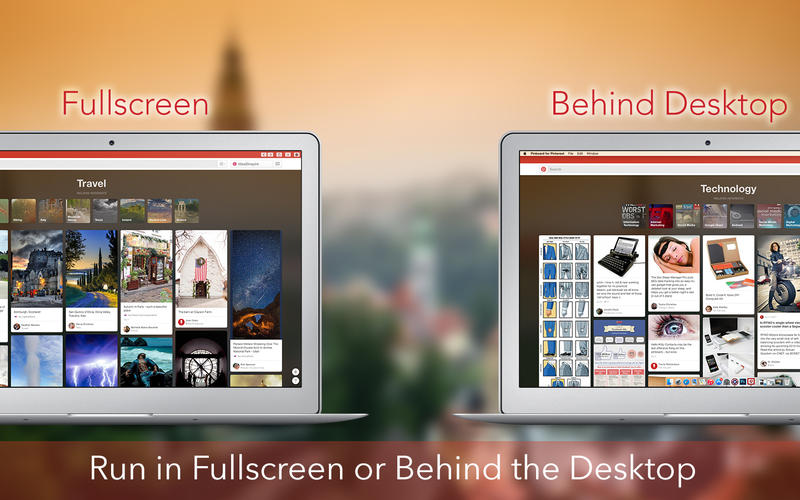
  • Show behind the Desktop.
  • Transparent Mode.
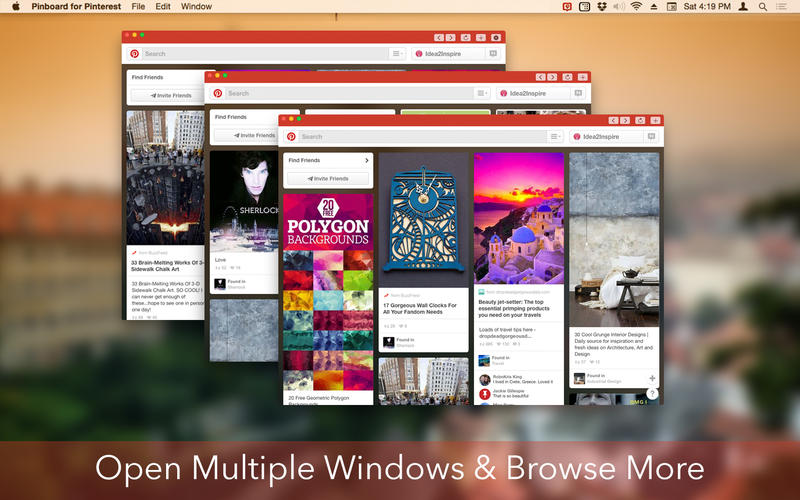
  • Open Multiple Window and browse more.
  • Comment on your favorite pins right from the App.


Pinboard for Pinterest is a fully customizable app and one can always resize the app layout very easily. This is one of the easiest ways to access Pinterest on a Mac. With this app, users will be able to log in into Pinterest much faster than any other medium. Full Screen Mode will allow users to browse more photos and enjoy a good viewing experience.


See user ratings and reviews for Pinboard for Pinterest in the Mac App Store.

So, download Pinboard for Pinterest and start browsing Pinterest the smart way.

Thursday, 4 December 2014

New Update for Live Wall – Holiday Season in the Mac App Store!


Idea2Inspire is very excited to announce that Live Wall – Holiday Season got updated in the Mac App Store with updated live wallpapers for this coming Christmas and New Year. The app consists of more than 60 stunning Live Wallpapers that feature Time as well as countdown to Christmas and New Year.

Features:

  • Over 60 Live Wallpapers
  • Live Wallpapers with Time and Countdown
  • Access Preference from Status Menu Bar
  • Animate only when System is idle
  • Option to Show/Hide Desktop icons  


The app itself is very easy to use. All the Live Wallpapers are shown into a simple app layout from where users will be able to select and set Live Wallpapers comfortably. 

A host of customizable options are also available in the Preferences window, which is easily accessible from Status Menu Bar or from the App window itself.


This is one of the coolest apps available presently in the Mac App Store for this holiday season. 

So, it is requested to all the users who bought it previously, to update Live Wall – Holiday Season from the app store and enjoy these new Live Wallpapers in the coming holiday season. New users are also welcome to download it from Mac App Store and add more happiness to the celebration.